Getting Started with Linux: A Simple Guide
Exploring the Definition, History, and Variants of Linux

Hello, fellow Linux enthusiasts! I'm excited to start this new journey with you all on Hashnode. As a passionate Linux user, I've always been fascinated by the power, flexibility, and community-driven nature of this operating system.
In this blog, I'll be sharing my experiences, tips, and tricks related to Linux. Whether you're a seasoned pro or just starting out, I hope you'll find something valuable here. Let's explore the world of Linux together!
What is Linux?
Linux is a versatile and powerful operating system that's built upon the Linux kernel, a free and open-source software component. Unlike proprietary operating systems, Linux offers users a high degree of control and flexibility, allowing them to customize their system to their exact needs. From its robust security features to its vast community of developers, Linux has gained a loyal following among users worldwide.
Linux Kernal
The Linux kernel is the core of the Linux operating system. Think of it as the brain that controls all the different parts of the computer. It manages things like:
Processes: Programs that are running on your computer.
Memory: How much memory each program can use.
Files: Where files are stored and how they're accessed.
Devices: Hardware like your keyboard, mouse, and network card.
The kernel makes sure everything works together smoothly, so your computer can run programs and interact with other devices.

History of Linux
Linux started in 1991 when Linus Torvalds, a Finnish student, created a new operating system kernel. He wanted to build something free and open-source, inspired by the Unix-like Minix. Linus released Linux 0.01, and it quickly attracted contributions from developers around the world.
Today, Linux powers everything from servers to smartphones and is known for its stability and flexibility. Its open-source nature has made it popular in various industries and among tech enthusiasts.
Linux Distributions
what is a Linux Distribution?
A distribution is essentially a pre-packaged version of Linux that includes the Linux kernel, various applications, and a desktop environment. There are hundreds of distributions available, each with its own unique strengths and weaknesses.
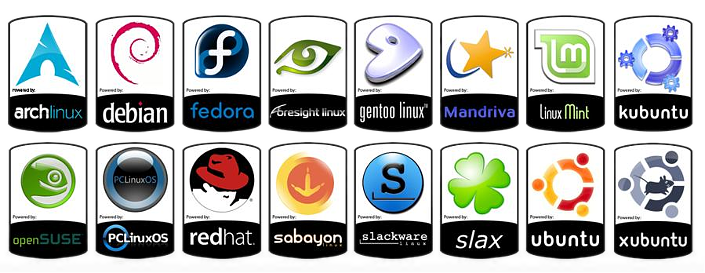
Some Popular Distributions out there are:-
Ubuntu - Known for its user-friendly interface and extensive community support, it's widely used on desktops and servers.
Fedora - A cutting-edge distribution with a focus on innovation and open-source software, maintained by Red Hat.
Debian - Renowned for its stability and reliability, it's the base for many other distributions, including Ubuntu.
CentOS - A free, community-supported version of Red Hat Enterprise Linux (RHEL), used primarily in servers.
- Arch Linux - A minimalist distribution favored by advanced users who prefer to customize their systems from the ground up.
Linux Mint - Based on Ubuntu, it offers a more traditional desktop experience and is popular among new users.
Manjaro - Based on Arch Linux, it aims to provide a more accessible and user-friendly experience.
Kali Linux - A distribution focused on security and penetration testing.
Kali Linux vs Other Distributions

Kali Linux, a distribution specialized for security testing, was released in 2013. It is based on Debian. In contrast, many other Linux distributions, like Debian (1993), Red Hat (1995), and Slackware (1993), were released much earlier. Kali Linux is one of the newer players in the Linux world, designed specifically for cybersecurity professionals.
Linux vs Windows vs macOs
Cost
Linux: Free and open-source, with many distributions (Ubuntu, Fedora, etc.) available at no cost.
Windows: Paid software; Windows licenses need to be purchased, although some versions come pre-installed.
macOS: Comes pre-installed with Apple devices, the cost is included in the hardware price.
Customizability
Linux: Highly customizable, users can modify everything from the desktop environment to the kernel. This makes it popular with developers and enthusiasts.
Windows: Limited customization, mainly focused on the user interface. Advanced modifications are restricted.
macOS: Least customizable; Apple controls the ecosystem tightly, ensuring consistency but limiting user control.
Security
Linux: Known for strong security due to its open-source nature. Vulnerabilities are patched quickly by the community, and it’s less targeted by malware.
Windows: Frequently targeted by malware and viruses due to its popularity. Regular security updates, but users need antivirus software.
macOS: Considered secure, though vulnerabilities exist. Being Unix-based, it has good security mechanisms but still faces malware threats.
Software Availability
Linux: Excellent for development, with a wide range of open-source software. However, fewer proprietary applications (like Adobe or certain games) are available.
Windows: Best for software compatibility, with the largest selection of commercial applications and games.
macOS: Strong in creative software (e.g., design, video editing) but limited in gaming and some professional apps compared to Windows.
Performance
Linux: Generally lightweight and can run efficiently on older hardware. Known for superior performance in server environments.
Windows: Resource-intensive, particularly with newer versions. Requires more hardware power to run smoothly.
macOS: Optimized for Apple hardware, leading to smooth performance. However, it only works on Apple devices.
User Base
Linux: Preferred by developers, tech enthusiasts, and in server environments. Known for flexibility but has a steeper learning curve for beginners.
Windows: Most popular OS worldwide, used in business, gaming, and general consumer markets. Familiar interface, easy to use for most people.
macOS: Popular among creatives and professionals in design, music, and video editing. Offers a smooth, user-friendly experience but is limited to Apple hardware.
Hardware Compatibility
Linux: Compatible with a wide range of hardware, from old computers to cutting-edge servers.
Windows: Compatible with most hardware, from budget laptops to high-end gaming PCs.
macOS: Only works on Apple devices like MacBooks and iMacs, limiting hardware options but ensuring optimized performance.
Which OS Suits Your Needs?
After going through all the facts and comparisons, it might feel a bit overwhelming. So, let me help you decide which operating system is best for your work and needs:
Conclusion:
Linux is best for developers, tech enthusiasts, and those seeking a free, customizable, and secure OS.
Windows is ideal for general users, gamers, and businesses that require broad software compatibility.
macOS suits creative professionals and those who prefer a seamless, polished experience with Apple hardware.''
Summary
In this blog post, we've explored the world of Linux, from its history and core concepts to its comparison with Windows and macOS. We've discussed the key features of Linux, including its open-source nature, customization options, and strong security. We've also examined popular Linux distributions and their unique strengths.
Ultimately, the best operating system for you depends on your individual needs and preferences. Whether you're a developer, a creative professional, or a general user, Linux offers a powerful and versatile option that can provide a rewarding computing experience.
what's next ?
Stay tuned for more exciting Linux content! In our next blog post, we'll dive into the basics of installing Linux and explore essential commands to help you get started on your Linux journey. From choosing the right distribution to configuring your system, we'll have you up and running in no time.
"Failure is simply a learning opportunity"